Digital Signage
Digital signage in retail
Plan retail digital signage around a shopper question, the viewing environment, accurate content and a workable store response.
Digital signage works when it answers a shopper’s question where they can act on the answer. Give every proposed screen a job, then plan its position, content and operating routine. Reliable playback alone does not show that a message is readable, current or useful.
Give each placement a job
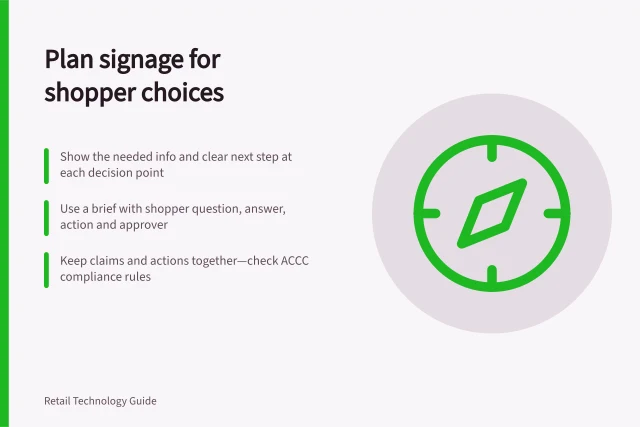
A window screen may help someone decide whether to enter. A screen beside a product range may explain a relevant difference between options. One at a service point may show where to go.
For each placement, write down who needs the message, their question and the next action available there.
If an answer needs extensive qualifications, use the screen to direct shoppers to information they can read at their own pace or to a colleague.
Check the viewing environment
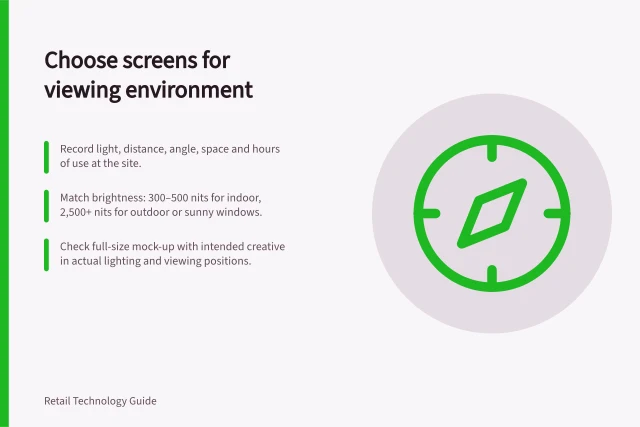
Walk the approaches shoppers actually use. Note distance, angle, obstructions, reflections and how light changes during trading.
A display intended for a sunlit window or outdoors calls for different checks from one in an aisle. Suppliers offer high-brightness displays for entrances, windows and outdoor areas, but the exact model and installation conditions determine what is suitable.
Show draft content at the proposed height and angle. Check it from walking and seated positions, including where a shopper cannot move closer.
Confirm the model’s permitted orientation, operating hours, temperature conditions, mounting, ventilation and service access. A brightness specification helps shortlist equipment; it does not establish readability at the installed position.
The W3C’s WCAG contrast guidance gives a measurable prompt for checking text against its background: a contrast ratio of at least 4.5:1 for text, or 3:1 for large-scale text, with stated exceptions. It defines large text as 18-point text or 14-point bold text. These are web accessibility criteria, not a certification of a physical screen or proof that a message can be read from its installed viewing position.
The W3C guidance also explains that contrast is based on the difference in light and dark, rather than hue alone. A colour combination that looks distinct to one person may still have weak contrast for someone with reduced contrast perception or colour vision deficiency. Check the actual text and background together, rather than relying on colour choice as a substitute for sufficient contrast.
Digital signage deployment considerations by location
- Sunlit window or outdoor displayRequires high-brightness screen; check for glare and reflection; consider anti-reflective coatings
- Indoor aisle or product zoneFocus on optimal viewing angle and proximity; ensure no competing signs obstruct view
- Service point or checkout areaMust be visible from standing and seated positions; include clear directional cues
Compliance and accessibility benchmarks for retail digital signage
- Minimum contrast ratio (WCAG)
- 4.5:1 for normal text, 3:1 for large text
- Large text definition
- 18-point or 14-point bold
- ACCC price display guidance
- Businesses must be able to substantiate claims made about pricing
- ACCC enforcement authority
- Can investigate misleading claims but does not resolve individual disputes
Keep messages accurate and current
Give each message an owner, an approved source and a withdrawal rule. Before showing a product claim or offer, check the product, price, conditions, participating stores and availability.
The ACCC says it can require businesses to back up claims they make about their products or services. Its price-display guidance says it may investigate if a business breaks the rules about displaying prices.
Plan what replaces an expired offer and who can stop a wrong message. Signage software can schedule and distribute content, but its schedule does not establish that the intended creative appeared correctly on the physical screen.
Have a store colleague check the display in context. Keep essential directions available through another route when a screen is unavailable.
The ACCC accepts reports about potentially misleading claims and uses them to inform its education, compliance and enforcement work. It does not resolve individual disputes or provide legal advice.
Plan the store response
A proposal should account for the display, mount, player if needed, software, connection, installation, electricity, creative work and support. Assign who may publish changes and who responds to a blank screen or misleading claim.
For a limited trial, choose one placement and one message purpose. Record how the same shopper question is answered now.
During the trial, check that the intended message played and whether shoppers at the relevant position could see and use it.
Record obstructions, competing signs and trading conditions. Playback, opportunity to see, observed attention and a later sale are separate outcomes.
Use the trial to decide whether to adjust the placement, message or service path; a local result does not establish an outcome for every store.
Content-management tools can also shape the work needed to keep screens supplied. LG SuperSign CMS, for example, has an editor and templates categorised by industry or purpose, including shopping and information. Those features can help users create and update content, but they do not decide which message a store should approve or who owns it.
Some platforms can import external material as well as content created in their own editor. LG says SuperSign CMS supports streaming, web video and web pages, but that external content is not included in the solution.
Treat access to those external items as a separate operating dependency when deciding who is responsible for keeping them available and suitable.
Device oversight is another operating function to assign. LG says SuperSign CMS can monitor and control devices on which it is installed, supporting centralised management and troubleshooting.
This can help a team identify a device issue, but a colleague still needs to check what shoppers actually see at the screen.
Scheduling can be more specific than a single start and end date. SuperSign CMS supports schedules for recurring or one-time playback, with times, days or days of the week specified in advance.
End-to-end workflow for digital signage management
- Assign message ownership and sourceEnsure all claims are backed by approved data
- Create and approve content using CMS toolsUse templates in platforms like LG SuperSign CMS
- Schedule playback with time, day and recurrence rulesSupports one-time or recurring schedules
- Monitor device status centrallyLG SuperSign CMS enables remote monitoring and troubleshooting
- Conduct in-store validationA colleague must verify what shoppers actually see
- Respond to failures or inaccuraciesHave fallback methods (e.g., staff assistance) when screens fail
In this guide
- Choosing screens from the viewing environmentAssess light, distance, angle, sunlight and installation conditions before choosing a retail signage screen.
- Planning signage content that supports a shopper decisionBuild retail screen messages around a shopper question, a substantiated answer, a clear action and an expiry rule.
- Measuring whether a signage placement is noticedUse defined viewing areas, playback checks and consistent observation to assess whether a retail screen is noticed.